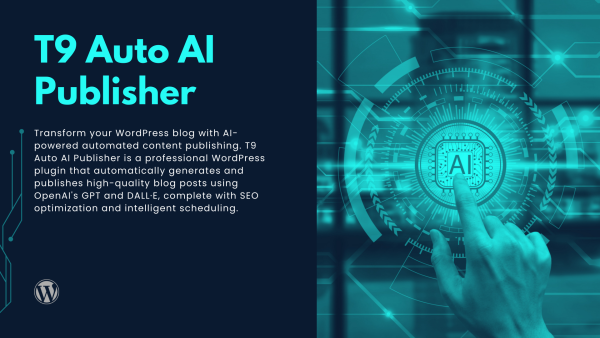
Transform your WordPress blog with AI-powered automated content publishing. T9 Auto AI Publisher is a professional WordPress plugin that automatically generates and publishes high-quality blog posts using OpenAI’s GPT and DALL·E, complete with SEO optimization and intelligent scheduling.
Description
Additional information
Reviews (0)
# T9 Auto AI Publisher for WordPress
Transform your WordPress blog with AI-powered automated content publishing. T9 Auto AI Publisher is a professional WordPress plugin that automatically generates and publishes high-quality blog posts using OpenAI’s GPT and DALL·E, complete with SEO optimization and intelligent scheduling.
## Overview
T9 Auto AI Publisher seamlessly integrates OpenAI’s advanced AI technology into your WordPress site to automate content creation and publishing. Built with WordPress best practices, this plugin enables you to maintain a consistent publishing schedule, improve SEO rankings, and grow your blog traffic—all while saving countless hours of manual content creation.
## Key Features
### AI Content Generation
– **GPT Integration**: Generate high-quality blog posts using OpenAI’s GPT models (GPT-4o-mini, GPT-4o, GPT-4.1-mini, GPT-4.1)
– **Intelligent Content Creation**: AI-powered content generation with customizable prompts and parameters
– **SEO-Optimized Content**: Automatic generation of meta titles, descriptions, and focus keywords
– **Table of Contents**: Automatic generation of table of contents with anchor links
– **Multi-language Support**: Generate content in Vietnamese, English, Japanese, Korean, Chinese, French, German, Spanish, and more
– **Content Customization**: Control word count, keyword density, sentiment, power words, and writing style
### Automated Publishing
– **Flexible Scheduling**: Set up daily, weekly, or monthly publishing schedules
– **Custom Start Dates**: Choose specific dates and times to start publishing
– **Batch Generation**: Generate 1-3 posts per batch automatically
– **WordPress Cron Integration**: Reliable scheduling using WordPress cron system
– **Automatic Post Publishing**: Posts are automatically published at scheduled times
– **Category Assignment**: Automatically assign posts to selected categories
### Image Generation
– **DALL·E Integration**: Automatically generate featured images using DALL·E AI
– **Unsplash Integration**: Alternative image source using Unsplash API
– **Image Prompt Generation**: AI-generated image prompts based on content
– **Multiple Image Sizes**: Support for various image dimensions
– **Automatic Image Upload**: Generated images automatically uploaded to WordPress media library
### Web Research Integration
– **Real-time Research**: Fetch current information from the web to enhance content accuracy
– **Multiple Search Providers**: Support for SerpAPI, Serper, and Bing search APIs
– **Context Enrichment**: Enrich content with recent web findings and citations
– **Source Citations**: Automatic inline citations with source URLs
– **Language-Specific Research**: Research in multiple languages
### Multi-Profile System
– **Content Profiles**: Create multiple publishing profiles with different configurations
– **Profile-Specific Settings**: Each profile can have unique topics, categories, language, and schedule
– **Data Sanitization**: All inputs are sanitized and validated
– **SQL Injection Prevention**: Uses WordPress $wpdb->prepare() for all queries
– **Nonce Verification**: CSRF protection for all admin actions
– **Secure API Communication**: HTTPS-only API endpoints
– **Credential Encryption**: Secure storage of sensitive API keys
– **Permission Checks**: Proper capability checks throughout
– **DateTime Security**: Uses `gmdate()` to avoid timezone issues
## Support & Documentation
– **Developer Documentation**: Based on OpenAI API documentation
– **WordPress Integration**: Full WordPress plugin standards compliance
– **Content Management**: Complete content tracking and history
– **Error Handling**: Comprehensive error messages and logging
– **Support**: Priority support for license holders
– **Email Support**: contact@thenine.store
– **Website**: https://thenine.store
## What’s Included
– Complete plugin source code
– OpenAI GPT integration
– DALL·E image generation
– Web research integration
– Multi-profile system
– License management system
– Admin dashboard interface
– Comprehensive logging system
– WordPress Cron scheduling
– SEO optimization features
– Internationalization support (i18n ready)
– Uninstall cleanup functionality
## Use Cases
### Scenario 1: Daily Blog Publishing
1. Set up daily publishing schedule
2. Configure topics related to your niche
3. Enable automatic image generation
4. Let the plugin publish daily posts automatically
5. Monitor and adjust as needed
### Scenario 2: Multi-language Content
1. Create profiles for different languages
2. Configure language-specific topics
3. Set up separate schedules for each language
4. Generate content in multiple languages automatically
5. Reach global audiences effortlessly
### Scenario 3: SEO-focused Content
1. Enable web research for current information
2. Configure focus keywords for each topic
3. Set optimal keyword density
4. Generate SEO-optimized titles and meta descriptions
5. Improve search engine rankings automatically
## Get Started Today
Transform your WordPress blog with AI-powered automated content publishing. Maintain a consistent publishing schedule, improve SEO rankings, and grow your traffic—all automatically. Install T9 Auto AI Publisher and start generating high-quality content today!
—
**Plugin Version**: 1.0.0
**Author**: The Nine
**License**: GPL v2 or later
**Requires**: WordPress 5.8+, PHP 7.4+
**AI Integration**: OpenAI GPT & DALL·E
License Type
Commercial, Standard
Reviews
There are no reviews yet.
Only logged in customers who have purchased this product may leave a review.




Reviews
There are no reviews yet.